Solitaire Pro
AI Factory LimitedCard
4.7307.00 Reviews
- Version
- 1.56
- Installs
- 50.00K
- Age Rating
- Teen
Screenshots
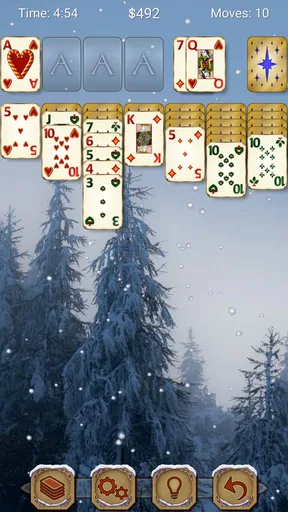
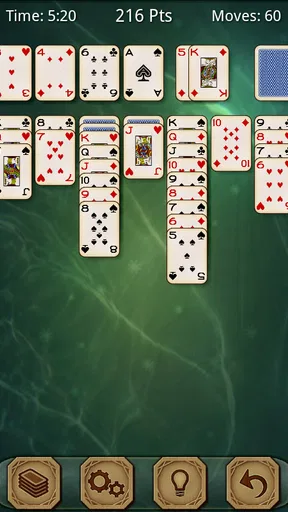
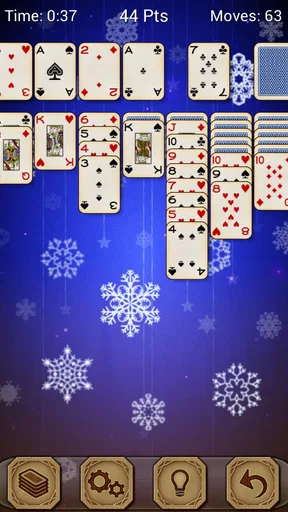
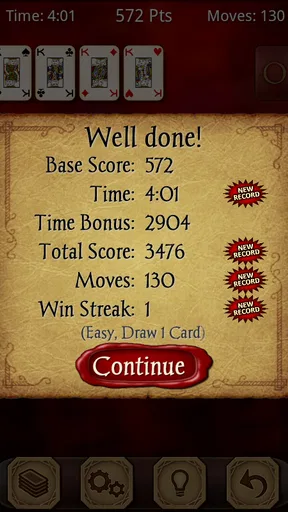
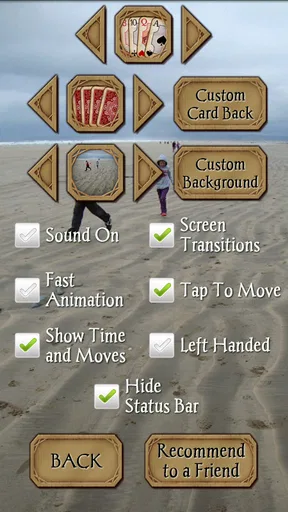
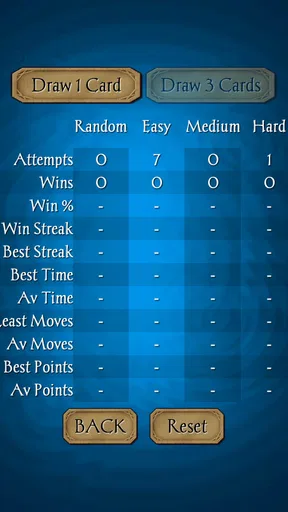
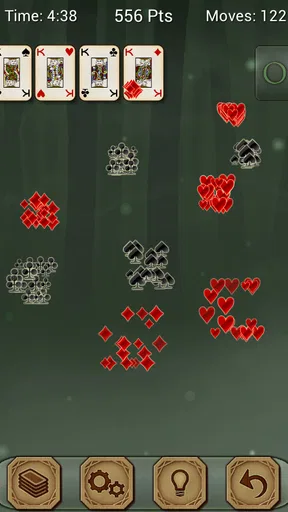
Our Review of Solitaire Pro
 Analysis by Appyee
I treat Solitaire Pro as a paid, focused take on a familiar card game rather than a free app with optional spending. It costs $4.99, so the decision is straightforward: you are paying up front, and the value depends on whether its particular version of Klondike is the one you want to return to. I’d judge it less by how many extras it promises and more by whether its small set of choices makes a quiet game feel comfortable over time.
What the price asks you to consider
There is no need to weigh a free tier against a paid upgrade here: the listed price is $4.99. That makes this a purchase for someone who already knows they enjoy solitaire, or who is deliberately looking for a simple card game to keep close. If you only play once in a while, a free alternative may be easier to justify. If you play often, paying once for a version that suits your habits may feel more sensible than tolerating distractions or extras you do not care about.
The game is a card title from AI Factory Limited, a developer whose name may be familiar to people browsing mobile card games. It has a 4.6 average from around two thousand ratings, with over fifty thousand installs. Those figures offer a sense of how players have responded, but I would not treat them as a promise that every preference will be covered. The age rating is Teen, and the game’s current version is 1.55; it runs on Android 6.0 or later.
Value in a deliberately narrow game
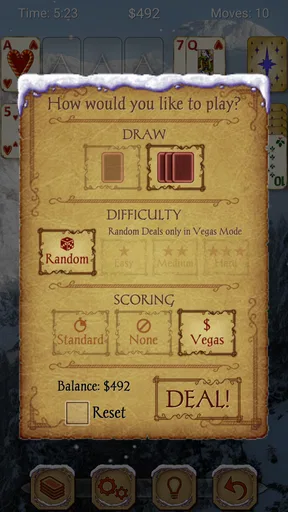
The appeal is its concentration on Klondike. The game gives you three difficulty levels and lets you choose between drawing one card or three. That is a meaningful choice, not just a cosmetic setting: one-card draw gives you more chances to work through the stock and is a gentler fit when you want an unhurried round. Three-card draw makes the stock harder to manage and asks you to plan more carefully. I’d switch between them based on whether I want a relaxed break or a more demanding puzzle.
That narrow focus is also the main trade-off. People who want Spider, FreeCell, daily puzzles, leaderboards, or a bundle of different solitaire variants should look elsewhere rather than assume they are included. The earlier description of those features does not fit this game: the confirmed offering is customizable Klondike, not an all-in-one solitaire collection. I prefer being clear about that because a paid game is a poor buy if you are expecting variety it does not provide.
Small choices that change the feel of a session
Before settling into a longer run, I’d try both draw settings and all three difficulty levels. Doing so helps separate two different frustrations: a tougher deal and a tougher rule choice. If a round feels slow, changing from one-card to three-card draw may make decisions more consequential; if the game feels too punishing, the easier level and one-card draw are the more forgiving combination. This gives the game a useful range without requiring a large menu of modes.
Customization matters most when you play repeatedly. A card table you find easy to read is more useful than a design that merely looks novel, especially during quick sessions when you are glancing at the screen between other tasks. I would choose a clear, familiar presentation first, then experiment with the available visual options once I know the layout works for me. That is a practical way to make the game feel personal without mistaking appearance for additional gameplay.
There is also a good case for keeping expectations modest. Klondike depends partly on the deal, and not every round offers a satisfying route to a win. I would not use a losing streak as proof that I need to change my strategy every turn. Instead, I’d pay attention to whether I am uncovering face-down cards, opening useful spaces, and keeping track of what the stock may offer. The game’s value is in giving those familiar decisions a convenient home, not in making every deal feel fair or fresh.
Where it fits into an ordinary day
For a realistic use case, imagine having ten spare minutes before an appointment. A short Klondike round is easy to start and easy to leave, and the one-card option is a natural choice if I do not want to concentrate too intensely. On a longer train ride, I might choose three-card draw and treat the game as a more involved puzzle. That contrast is useful: the same basic format can suit different moods without asking me to learn another game.
Someone who wants to play away from a connection should check that offline access is available in their own setup before relying on it. I would not buy this title solely on an assumption about network behavior. The same caution applies to other practical questions such as device-specific controls and accessibility preferences: check the current store details on the device you plan to use, then decide whether the presentation works for you. This is especially worthwhile when you are paying rather than trying a free download first.
How it compares with other solitaire choices
Compared with free solitaire apps, the most important difference is the up-front cost. Free options can be a better fit if you are experimenting, play only occasionally, or want a broad assortment of variants before choosing a favorite. A collection with multiple games is also the stronger choice for a household where different players want different rules. By contrast, this title makes more sense when Klondike is already your preferred form and you want its adjustable draw and difficulty options without paying for modes you will never open.
Compared with a physical deck, a mobile game removes the need to shuffle, lay out cards, and reset the table after each attempt. That convenience is valuable in a waiting room or during a brief break, though it cannot reproduce the feel of handling cards. If tactile play is part of the appeal, a real deck is still the better option. If you want a score-driven competition or social play, choose a game that clearly centers those features; I would not assume this one does simply because other card apps often include them.
Who is likely to get their money’s worth
I’d recommend it to a regular Klondike player who prefers a calm, self-contained game and likes being able to tune the challenge. It also suits someone who wants a straightforward choice between a gentler round and a more demanding draw, rather than a sprawling catalog. The three difficulty levels give returning players room to adjust, while the custom look can make repeated visits feel less monotonous. For those players, the price is easiest to accept as payment for a specific pastime they already enjoy.
I’d skip it if you are not sure you like solitaire, if you want several card games in one purchase, or if you need a competitive or social feature to stay interested. I’d also look elsewhere if avoiding an up-front charge matters more than having a dedicated Klondike game. A free alternative lets you test whether the basic routine holds your attention before spending anything. That is a sensible choice, not a compromise, when your interest is uncertain.
Why Solitaire Pro Stands Out
So, what’s the big deal with Solitaire Pro? Right off the bat, it’s like having a classic card game buddy in your pocket. Whether you’re a seasoned player or just diving into the world of solitaire, this app has something for everyone.
Let’s start with the interface. It’s clean, intuitive, and doesn’t bombard you with unnecessary clutter. You know how some apps just throw everything at you, and you're left wondering where to start? Not here. The design is sleek and straightforward, making it easy to navigate even if you’re new to mobile gaming.
Game Modes Galore
The variety of game modes is where Solitaire Pro really shines. From the classic Klondike to Spider and FreeCell, you’ve got options. Each mode offers its own set of challenges, keeping things fresh and engaging. Plus, there’s a daily challenge feature that tests your skills with new puzzles every day. It’s like a little brain teaser to kickstart your day.
And let’s not forget the customization options. You can tweak the card designs and backgrounds to suit your style. Feeling a bit whimsical? Go for the funky card backs. Prefer something more traditional? Stick with the classic look. It’s all about making the game your own.
Performance and User Experience
Now, let’s talk about performance. I’ve played a fair share of solitaire apps, and some can be as slow as molasses. But Solitaire Pro runs smoothly, even on older devices. No lagging, no freezing – just uninterrupted card-flipping bliss.
The app also features offline play, which is a lifesaver when you’re stuck without Wi-Fi. Whether you’re on a plane or in a remote cabin, you can still get your solitaire fix.
Feature Highlights
- Unlimited Hints and Undos: Sometimes, we all need a little help, and this feature has your back.
- Statistics Tracker: Keep track of your wins, losses, and best times. It’s a neat way to measure your progress.
- Leaderboards: Compete with friends or players worldwide. It adds a social element to the game, pushing you to improve.
In-App Purchases and Ads
Okay, let’s address the elephant in the room – ads and in-app purchases. Like many free apps, Solitaire Pro includes ads. They’re not too intrusive, but if you find them bothersome, there’s an option to remove them with a one-time purchase. It’s pretty standard fare, and honestly, the game is enjoyable even without spending a dime.
As for in-app purchases, they’re mainly for cosmetic upgrades. Want a snazzier deck or a premium background? That’s where they come in. But rest assured, these purchases don’t affect gameplay, so you’re not at a disadvantage if you stick to the free version.
Final Thoughts
In the sea of mobile games, Solitaire Pro is a refreshing take on a beloved classic. It’s got the right balance of simplicity and depth, making it perfect for both quick sessions and extended play. Whether you’re a solitaire aficionado or just looking for a relaxing way to pass the time, this app is worth a download.
So, give Solitaire Pro a try and see if it becomes your go-to card game. Who knows, you might just find yourself caught in the shuffle!
Verdict
Strengths of Solitaire Pro
- Intuitive interface enhances user experience.
- Variety of solitaire games keeps it engaging.
- Customizable themes add a personal touch.
- Smooth performance with minimal lag issues.
- Offline mode available for play anywhere.
Limitations of Solitaire Pro
- Limited free features without in-app purchases.
- Occasional ads disrupt gameplay flow.
- No multiplayer mode for competitive play.
- High battery usage during extended sessions.
- Some themes require premium purchase.
Other Releases by AI Factory Limited
View All


Similar Picks in This Category
View All
Solitaire - Classic Card Games
MobilityWare4.6

UNO!™
Mattel163 Limited4.3

Spider Solitaire: Card Games
MobilityWare4.6

Solitaire.com - Classic Cards
Tripledot Studios Limited4.7

Plants vs. Zombies™ Heroes
ELECTRONIC ARTS4.1

Hearthstone
Blizzard Entertainment, Inc.4.1
Frequently Asked Questions
What features does Solitaire Pro offer compared to other solitaire apps?
Solitaire Pro stands out with its sleek design, customizable themes, and smooth animations. It offers multiple game variations like Klondike, Spider, and FreeCell. The app includes daily challenges, statistics tracking, and an undo option. These features provide a rich and engaging experience for both casual players and solitaire enthusiasts.
Is Solitaire Pro free to download and play?
Solitaire Pro is available for free download on both Android and iOS platforms. While the basic gameplay is free, the app offers in-app purchases for premium features such as ad removal, exclusive themes, and additional game modes. Users can enjoy the core experience without spending but have the option to enhance their play with paid features.
Does Solitaire Pro require an internet connection to play?
No, Solitaire Pro does not require an internet connection to play. You can enjoy all the classic solitaire games offline, making it perfect for travel or areas with limited connectivity. However, some features like daily challenges and leaderboard updates may require an internet connection to access fully.
What are the system requirements for Solitaire Pro?
For Android devices, Solitaire Pro requires Android 5.0 and up, while iOS devices need iOS 11.0 or later. The app is optimized for both smartphones and tablets, ensuring a seamless experience across different screen sizes. Minimal storage is needed, making it accessible for a wide range of devices.
How does Solitaire Pro handle user data and privacy?
Solitaire Pro takes user privacy seriously, adhering to strict privacy policies. The app collects minimal data necessary for functionality, such as game progress and preferences. Users can review the privacy policy within the app to understand data usage. Personal information is not shared with third parties, ensuring a secure gaming experience.
Play our best games!


